Beyond the Tunnel: API Mocking and Intercept Hybrids for Backend Engineers
IT
Quick answer
Beeceptor Alternatives & API Intercept Hybrids: Mock & Modif: webhook testing answer
For local webhook testing, run your app locally, expose it with a public HTTPS tunnel, and paste the stable callback URL into the provider dashboard.
How do I test webhooks on localhost?
Start your local server, open a public HTTPS tunnel to that port, configure the provider webhook URL, and inspect events in your local logs.
Why does a stable webhook URL matter?
Stable URLs prevent provider dashboards from needing manual callback updates every time you restart a tunnel.
Sometimes developers don’t just want to receive a webhook; they need to modify it on the fly or simulate a failure response before it hits their local code. When you’re integrating complex third-party platforms — payment processors, CRM systems, CPaaS providers — a simple passthrough tunnel isn’t enough. You need tools that go beyond port forwarding to offer live REST API mocking, payload manipulation, and conditional response rules.
Welcome to the world of API mocking and intercept hybrids. These platforms capture the mindshare of senior backend engineers building resilient, complex integrations who need absolute control over the data flowing into their local environments.
In this guide: why you need an API intercept proxy, how to mock webhook-localhost environments, techniques for building a request-payload-modifying tunnel, and an evaluation of the current Beeceptor alternatives — checked against each vendor’s own docs and pricing pages rather than taken on faith.
The Limitations of “Dumb” Webhook Tunnels
If you’ve ever built a webhook consumer, your first step was probably a basic tunnel tool like ngrok, localtunnel, or Cloudflare Tunnel. You point the third-party provider (Stripe, Twilio, GitHub) at your public tunnel URL, and traffic arrives at localhost:3000.
That works for the happy path. Enterprise-grade backend engineering rarely lives there.
The Developer’s Dilemma
Imagine writing a webhook handler for a subscription lifecycle. You need to see how your system reacts when a payment fails, a subscription downgrades, or the provider sends a malformed payload. Triggering those exact edge cases from a provider’s dashboard is often tedious or impossible — you burn an hour navigating menus to fire one event, then find a typo in your handler and have to start over.
A basic tunnel is just a pipe. It doesn’t inspect what flows through it, and it can’t modify it. Once you need to mutate incoming data, simulate latency, or force a 500, a dumb tunnel becomes the bottleneck. You need an intelligent middleware layer.
What Is an API Intercept Proxy?
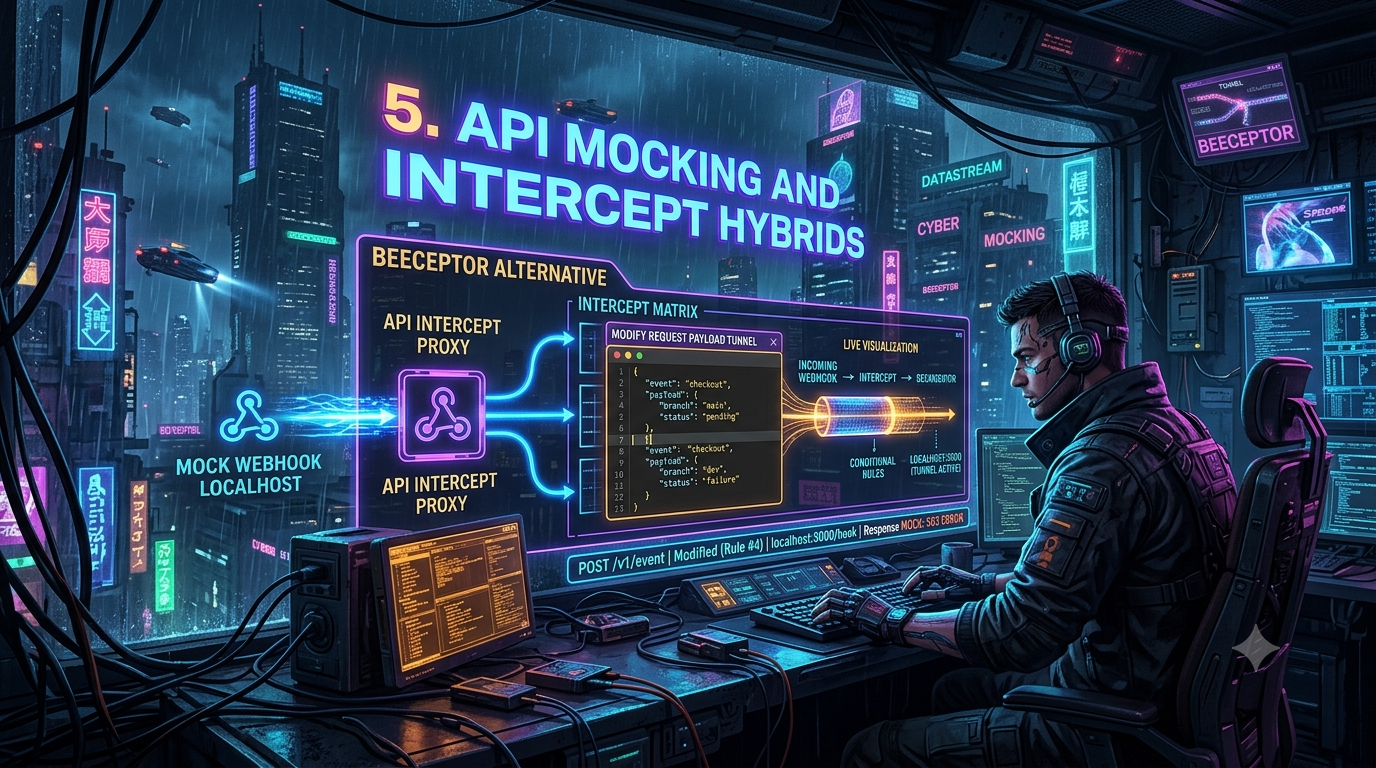
An API intercept proxy sits between the third-party provider and your local dev server, acting as both a mock API server and a configurable reverse proxy. Rather than just routing traffic, it inspects every request and runs it through a rules engine that can:
- Record and replay — capture the exact headers and payload of a webhook so you can replay it against your local server without re-triggering the event upstream.
- Mutate data on the fly — alter the JSON body or inject headers before the request reaches your machine.
- Simulate edge cases — intercept a request and return a 500, a 429, or add artificial latency to exercise your retry and timeout logic.
- Route conditionally — send some payloads to your local box and others to staging, based on request content.
The Benchmark: Beeceptor in Action
Beeceptor is usually the baseline for this category. It’s a hosted API mocking platform that gives you a working endpoint in seconds, generating mock servers from OpenAPI/Swagger, WSDL, GraphQL SDL, or gRPC proto specs — it covers REST, SOAP, gRPC, and GraphQL rather than REST alone.
Its standout feature for backend engineers is the Proxy Rule, also called an HTTP Callout Rule: it accepts an incoming request and triggers a secondary HTTP call, forming the core of a request-payload-modifying tunnel. Beeceptor’s own docs describe two behaviors:
- Synchronous — the original request waits for the callout to complete, and the callout’s full response (headers, status, body) is routed back to the original caller.
- Asynchronous — Beeceptor immediately returns a predefined mock response (e.g.,
200 OK) to the provider, then fires the callout as a non-blocking, fire-and-forget request. This is the pattern for simulating async APIs and testing webhook-triggered callbacks without holding the original connection open.
Beeceptor also gives you a real-time dashboard of incoming requests and lets you build the callout’s outgoing payload from fields in the original request, so you can reshape a provider’s schema into whatever your local handler expects.
The catch: free-tier limits
Beeceptor’s free plan caps you at 50 requests per day (confirmed current as of mid-2026, and pricing has been stable — no changes recorded). In a real CI/CD loop or a polling dashboard, that allowance disappears in minutes; once you hit it, the proxy starts returning 429 Too Many Requests until the daily reset or an upgrade. Paid plans start around $10–25/month depending on tier.
Evaluating the Best Beeceptor Alternatives in 2026
Given Beeceptor’s tight free-tier ceiling, the market has filled in around it. Here’s an updated look at the field.
1. RequestBin — the webhook debugging workspace
Worth a historical note first: the original RequestBin (requestb.in, created by Jeff Lindsay, who also coined the term “webhook”) was shut down years ago, and Pipedream absorbed the concept into its own product, which now requires a Pipedream account and workflow setup just to inspect a payload — a meaningfully heavier flow than the old paste-a-URL experience.
The requestbin.net product referenced here is a separate, currently-operating platform (not Pipedream’s) built around the same idea: instant bins, request capture and replay, forwarding rules, and — new since the original draft of this piece — mock APIs, an API for CI integration, DNS testing, and an MCP server so tools like Claude Code or Cursor can drive it programmatically. Its free tier: 3 bins and 500 requests/day, ten times Beeceptor’s allowance, no credit card. Paid plans start at $12/month for 20 bins and unlimited replay/forwarding.
Key advantages:
- 10× the free daily quota of Beeceptor.
- Edit and re-send — unlike a pure logger, you can tweak a captured payload’s headers/body before replaying it.
- Forwarding rules that match on method, path, and body, so one webhook can fan out to several destinations.
- MCP server support — relevant if you’re already wiring AI coding agents into your webhook-debugging loop.
2. Apidog — the all-in-one API platform
Apidog is the closest direct Beeceptor replacement for teams that want one tool spanning API design, docs, debugging, and mocking. Import an OpenAPI/Swagger file (or design the endpoint from scratch), enable mocking, and you get a shareable mock URL.
Key advantages:
- Smart Mocking — Apidog reads your schema’s field names and types and generates realistic values accordingly (an
emailfield returns a plausible email,created_ata timestamp). This is a Faker-style approach to data generation rather than static placeholders, though whether it’s literally built on the Faker.js library specifically isn’t confirmed in Apidog’s own documentation — treat “Faker-like” as the accurate description. - Schema-driven accuracy — mocks are generated from the same OpenAPI spec your real API implements, so they don’t drift from the contract.
- Self-hosted runner (General Runner) — if compliance requires keeping traffic off the public cloud, you deploy a small program on your own infrastructure. Once its Server Host is configured, Apidog automatically creates a “Runner Mock” environment in your project, and requests sent against that environment are served locally rather than by Apidog’s cloud — the API design and schema stay in the Apidog project; only the response-serving layer moves onto your network. The runner also runs scheduled automated tests and imports API docs, beyond just serving mocks.
3. Requex.me — the free, no-signup challenger
Requex.me is a genuinely new (2026) entrant that’s positioning itself explicitly against Beeceptor, webhook.site, and Pipedream’s RequestBin, all three of which gate meaningful features (custom response editing, higher volume) behind a paid tier or an account. Requex offers instant, no-signup webhook bins with real-time WebSocket capture, plus a separate hosted mock-server module with named routes, per-method response configuration, and configurable delays and status codes.
Worth being precise about a couple of points the earlier draft overstated:
- Requex markets itself as free with no signup required and, as of writing, doesn’t advertise a hard daily request cap on its webhook/mock-server tools the way Beeceptor does — but “unlimited” isn’t a figure the vendor states outright, so treat it as “no published cap” rather than a guaranteed number. Its separate workflow-automation module explicitly promises “no task limits during beta,” which is a beta-period commitment, not a permanent one.
- Authentication testing on mock routes is a real, documented feature (you can configure auth alongside routes, methods, status codes, and headers). The specific claim that it natively simulates “Bearer tokens, HMAC, and API keys” is more accurate as a description of its separate workflow-automation product, which does ship HMAC signature-verification presets for Stripe, GitHub, and Shopify — that’s a distinct feature from the plain mock-server auth config.
- Stable, persistent mock-server URLs are a real, advertised feature.
4. Mockoon — the desktop (and now cloud) option
Mockoon remains a fully free, open-source (MIT) mock server, distributed as a desktop app and a CLI you can run headless in CI. What’s changed since the “desktop-only” framing: Mockoon now also ships Mockoon Cloud, for teams that want to sync mock definitions and deploy mocks without self-hosting, and Mockoon Pro, which adds AI-powered mock generation and a library of ready-made JSON templates on top of the free core. The open-source desktop/CLI combo is still unlimited on local servers and routes, with OpenAPI compatibility, JSON templating, and proxy-forwarding mode.
The original trade-off — no natively hosted public URL, so you still need to pair it with a tunnel like ngrok or Cloudflare Tunnel to receive external webhooks — still holds for the free desktop/CLI tier; Mockoon Cloud is the option if you want Mockoon’s design experience with a hosted, publicly reachable mock without wiring up your own tunnel.
5. WireMock — the JVM-native heavyweight
WireMock remains the standard for Java shops and complex service-virtualization scenarios: over 5 million downloads a month, an open-source core (currently on the 3.x line, which requires Java 17 and adds new matchers and response macros), and one of the most capable request-matching engines available — URL, header, and JSON-body-path matching, Handlebars-based dynamic responses, and multiple deployment modes (embedded library, standalone process, container).
What’s newer: WireMock Cloud, a managed offering from a startup (co-founded by WireMock’s original creator, Tom Akehurst) that raised a $6.5M seed round. Beyond hosting, its differentiator is recording live traffic between your app and a real third-party API and automatically generating a mock from what it observes — useful if you’d rather derive a mock from real behavior than hand-write stubs.
A new addition: Hookdeck’s Event Gateway
Given this article’s premise — that a “dumb tunnel” isn’t enough once you need filtering, transformation, and replay — it’s worth adding a tool that wasn’t in most of this year’s comparison pieces but arguably fits the brief better than a pure mock server: Hookdeck. Its CLI forwards webhooks to your local server with unlimited, free, and permanent event URLs (your event history persists across restarts, unlike a rotating tunnel URL), and it supports filtering so you only receive the event types you’re actively building a handler for, plus replay of past events straight from history. Beyond local dev, its Event Gateway resources (sources, destinations, connections, transformations) are manageable from the same CLI, and it now ships an MCP server, so AI coding agents can inspect and replay webhook traffic as part of an agentic workflow — relevant if you’re already experimenting with AI-driven local development. Hookdeck’s local-development path is free; the company monetizes its production event-routing offering.
A few others worth a mention
If none of the above quite fits, a handful of adjacent tools show up repeatedly in current comparisons:
- Postman Mock Server — convenient if your team already lives in Postman collections; mocking is more limited than the dedicated tools above and cloud mocks need a Postman account.
- Stoplight Prism — an open-source CLI that mocks directly from an OpenAPI spec; no hosted URL of its own.
- Microcks — open source, schema-driven, with strong support for event-driven/async API specs alongside REST.
Step-by-Step: How to Mock Webhook-Localhost Workflows
To use an intercept proxy properly, wire the integration between the external provider, the proxy layer, and your local machine like this:
Step 1 — Establish the intercept endpoint. Create a new endpoint on your chosen proxy (RequestBin, Beeceptor, Apidog, Requex, or Hookdeck). You’ll get a public URL such as https://my-workspace.proxy-tool.com/webhook-in.
Step 2 — Configure the third-party provider. In the provider’s dashboard (Stripe, Shopify, etc.), paste your proxy URL into its webhook configuration. From the provider’s perspective, the proxy is your application.
Step 3 — Connect your local tunnel. Expose your dev server to the internet:
# Example: expose local port 8080 with a Cloudflare quick tunnel
cloudflared tunnel --url http://localhost:8080
This gives you a temporary URL like https://dev-tunnel.trycloudflare.com. Worth knowing if you go this route: Cloudflare’s quick tunnels are meant for testing only — they cap out at 200 concurrent requests and don’t support Server-Sent Events, so an SSE-based webhook consumer will need a different tunnel (or a named, authenticated Cloudflare Tunnel) instead.
Step 4 — Configure the forwarding rule. Back in your intercept proxy’s dashboard, create a routing rule:
- Condition: request path equals
/webhook-in - Action: forward asynchronously to
https://dev-tunnel.trycloudflare.com/api/webhooks
Now, when the provider fires a webhook, it hits the intercept proxy, which logs the request, returns a 200 OK instantly, and forwards the payload down your tunnel to your machine.
Advanced Architecture: Building a Modify-Request-Payload Tunnel
Routing traffic is useful, but the real value of these tools is in reshaping it. Sometimes a provider’s payload format doesn’t match what your legacy backend expects, or you need to strip PII before it ever reaches your local database.
Take an incoming GitHub push webhook:
{
  "repository": {
    "name": "api-gateway",
    "owner": {
      "login": "octocat"
    }
  },
  "commits": [
    {
      "id": "1a2b3c4d",
      "message": "Update mock server logic"
    }
  ]
}
Your local application only expects a flat structure with the repo name and latest commit ID. In your proxy’s callout configuration, you can apply a transformation template that pulls specific fields out of the original request body and rebuilds a new payload from them — for example, mapping repository.name and commits[0].id into a flattened object with your own field names, plus a static field like "environment": "development". (The exact templating syntax is vendor-specific — check your chosen tool’s docs for its template-variable helpers rather than assuming one tool’s syntax works in another.)
When the proxy forwards the request down your tunnel, it overwrites the original payload with your custom, flattened object — isolating the transformation logic from your core application code so you can test integrations without touching your local schemas.
Chaos Engineering: Simulating Failure Conditions
The final piece of local integration testing is simulating degradation on purpose, rather than passively forwarding every request:
- Simulate latency — hold a request for several seconds before forwarding, to check whether your HTTP clients time out gracefully or lock up server threads.
- Simulate provider outages — point your app’s outbound API calls at the proxy and configure it to return
503on a percentage of requests, to validate backoff and retry logic. - Simulate malformed webhooks — deliberately corrupt the JSON structure (a string where an integer’s expected) to confirm your application fails with a clear schema-validation error instead of an unhandled crash.
Conclusion
Basic port forwarding leaves you blind to edge cases and constrained by whatever a third-party provider’s dashboard lets you trigger. An API intercept proxy gives that control back: mocking webhook-localhost routing, simulating failure conditions on demand, and building a genuine request-payload-modifying tunnel.
Whether that’s Apidog’s all-in-one design-plus-mock workflow, RequestBin’s generous debugging quota, Requex’s no-signup simplicity, Mockoon’s local-first privacy (now with an optional cloud tier), WireMock’s JVM-grade matching engine, or Hookdeck’s persistent, filterable event gateway, the right pick depends less on which is “best” and more on whether you need hosted or self-hosted, how much daily volume you’ll actually burn through, and whether AI-agent integration (MCP) matters to your workflow — all of which are worth re-checking against the vendor’s current pricing page before you commit, since free-tier limits are exactly the kind of detail that changes without much notice.
Changelog
Corrections and additions made to the original draft, checked against vendor docs and current pricing pages:
- Beeceptor: confirmed the 50 requests/day free-tier figure (verified current as of mid-2026, stable pricing history) and confirmed multi-protocol mock generation (REST, SOAP, gRPC, GraphQL) rather than REST-only. Confirmed the HTTP Callout Rule’s synchronous/asynchronous behavior split against Beeceptor’s own docs. Removed the unverified
oReqBodyhelper-name claim and generalized the templating description, since that specific syntax couldn’t be confirmed against primary sources. - RequestBin: added the historical correction that the original
requestb.in/Pipedream service was discontinued in its old free form and now sits behind a Pipedream account; clarified that therequestbin.netproduct discussed is a separate, currently-operating platform. Confirmed the 500 requests/day, 3-bin free tier and added newer features (mock APIs, DNS testing, MCP server) and current paid pricing ($12/mo). - Apidog: confirmed the self-hosted General Runner mechanism in detail (Runner Mock environment, Server Host configuration) and softened the “Faker.js” claim to “Faker-style” data generation, since Apidog’s own materials describe a Faker-like approach without confirming the underlying library.
- Requex.me: confirmed it’s a real, actively marketed 2026 product (not a fabricated name) positioned against Beeceptor/webhook.site/Pipedream’s RequestBin. Corrected “unlimited free requests” to “no published daily cap” (a meaningful but more precise distinction), and separated its mock-server auth-config feature from its distinct workflow-automation product’s HMAC-verification presets, which the original draft had conflated.
- Mockoon: added Mockoon Cloud and Mockoon Pro (AI-powered mocking, template library) as current, separate tiers beyond the always-free open-source desktop/CLI core, which changes the “no hosted URL, ever” framing for teams willing to use the paid cloud tier.
- WireMock: added WireMock Cloud’s traffic-recording auto-mock-generation feature and its funding/founding background, and noted the current 3.x major version’s Java 17 requirement.
- New section added: Hookdeck’s Event Gateway, since it fits this piece’s “beyond a dumb tunnel” premise (filtering, transformation, replay, persistent URLs) and ties into MCP/AI-agent workflows.
- New section added: brief mentions of Postman Mock Server, Stoplight Prism, and Microcks as adjacent options.
- Verified the
cloudflared tunnel --url http://localhost:8080command is still current, and added the previously-missing caveat that Cloudflare’s quick tunnels cap out at 200 concurrent requests and don’t support Server-Sent Events. - Reformatted all code samples into proper fenced Markdown code blocks (removing stray “Bash”/“JSON” plaintext labels) and stripped document metadata.
Related InstaTunnel pages
Continue from this article into the most relevant product guides and workflows.


Comments
Post a Comment