Lightweight and Encrypted: Why Home Labbers Love the Noise Protocol
IT
Quick answer
Rathole vs Ngrok: Why Home Labbers Love Noise Protocol Tunne: quick comparison answer
Choose the tunnel tool based on the network model: public HTTPS URLs for webhooks and demos, private mesh access for internal apps, and managed infrastructure when policy controls matter most.
Which tunnel tool is best for public webhook testing?
Use a public HTTPS localhost tunnel with stable URLs. InstaTunnel focuses on webhook testing, demos, OAuth callbacks, and MCP endpoint workflows.
When should I choose a private network tool instead?
Choose a private mesh or Zero Trust tool when every user and service should stay inside a controlled private network.
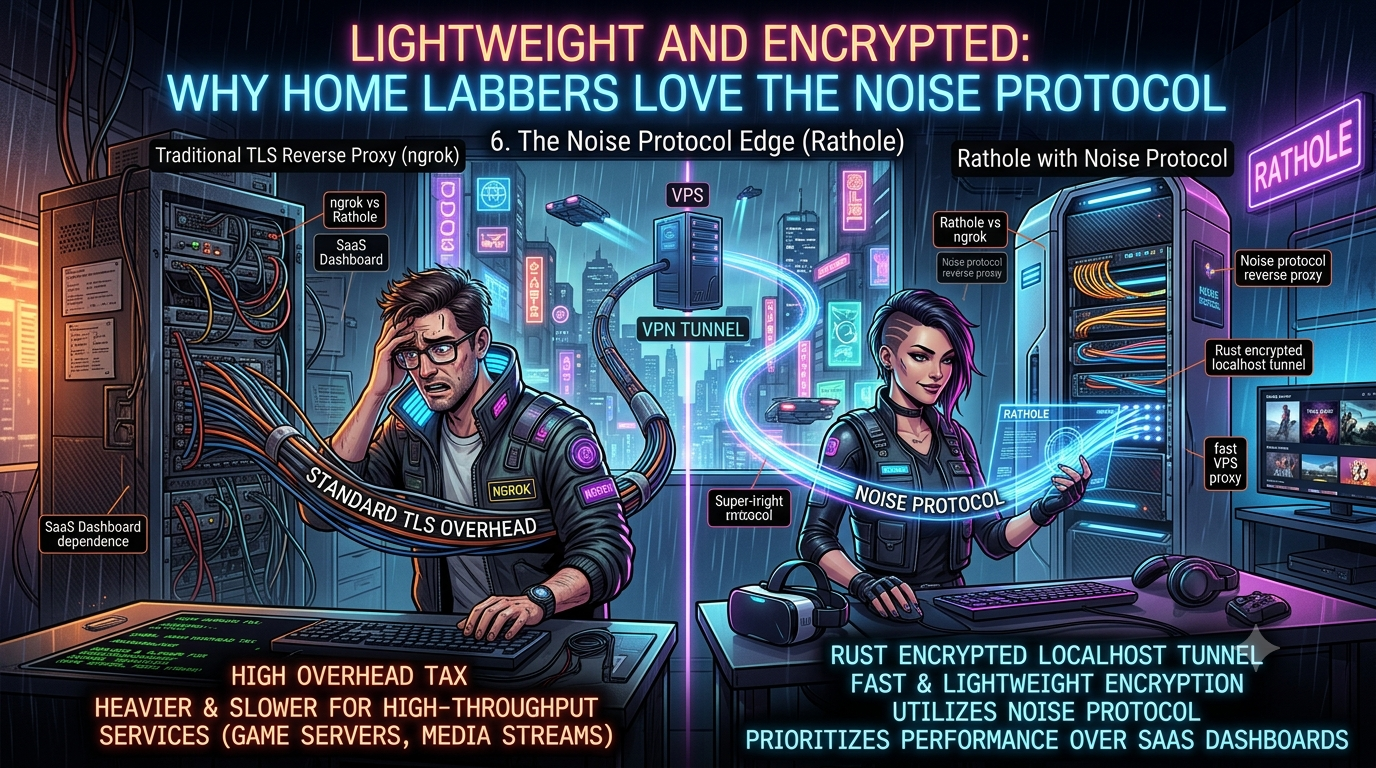
For engineers pushing high-throughput services from a VPS to a home lab, traditional TLS overhead creates unnecessary drag. When tunneling UDP game server traffic — Valheim’s dedicated server, Counter-Strike 2, or a Bedrock Edition Minecraft world — every millisecond of latency counts. (Java Edition Minecraft is the odd one out here: its protocol runs over TCP only, on port 25565, so it’s not actually part of the UDP conversation — worth knowing before you build a tunnel config around it.) The open-source ecosystem has responded with Rathole, a Rust-based encrypted localhost tunnel that prioritizes raw performance and a minimal footprint over a managed dashboard.
The Bottleneck of Traditional Reverse Proxies
Many popular NAT traversal solutions rely heavily on TLS/SSL for transport encryption, which adds certificate management overhead and can complicate sustained, high-bandwidth connections.
- Protocol limitations: ngrok still has no native UDP support, which rules it out for game servers and real-time VoIP without extra workarounds.
- Resource drain: Rathole’s own maintainers report it uses roughly a fifth of the memory frp does under sustained load — though that comparison comes from the project’s own December 2021 benchmark, run once on one machine against an frp release that’s now many versions behind. Treat it as directionally useful rather than a current, independently verified number.
- Dashboard bloat: Developers frequently pay for managed UI features they don’t need, rather than focusing on core forwarding.
Rathole vs ngrok: The Rust Advantage
Rathole is a lightweight reverse proxy for NAT traversal written entirely in Rust, maintained today under the rathole-org GitHub organization (the project started as rapiz1/rathole). It’s a genuinely small project by GitHub-scale standards — a few thousand stars, a few hundred forks — but it’s actively used, and issues are still being opened and triaged in 2026.
- Minimal footprint: A minimal, feature-trimmed build can come in at roughly 500KiB, which is why it shows up on embedded devices and edge routers. The full-featured release binary (with TLS, Noise, and WebSocket transports compiled in) is naturally larger — low single-digit megabytes — so “500KiB” describes the stripped-down build, not what you’ll download from the releases page by default.
- Memory management: Rust’s lack of a garbage collector gives Rathole a flatter, more predictable memory profile under load than a GC’d alternative like frp, at least in the project’s own benchmark.
- Native UDP: UDP is a first-class service type in the config (
type = "udp"), so a Valheim or CS2 service tunnels the same way a TCP one does — just withtypeswapped.
One honest caveat worth flagging for a home-lab audience: Rathole’s most recent tagged release is v0.5.0, from October 2023. The dev branch is still actively built and issues keep landing in 2026, so the project isn’t abandoned — but there hasn’t been a numbered release in a couple of years, which matters if you’re the kind of person who pins versions and waits for changelogs before upgrading production infrastructure.
The Power of the Noise Protocol
Instead of managing certificates, Rathole can secure its control and data channels with the Noise Protocol Framework as an alternative to TLS.
- Certificate-free, but not unauthenticated: Rathole’s default Noise pattern is
Noise_NK_25519_ChaChaPoly_BLAKE2s. The “NK” part matters — it means the server side is authenticated (the client verifies it’s talking to the real server, the same guarantee TLS gives you with a properly configured certificate), while the client itself stays anonymous. That’s a meaningfully stronger default than an unauthenticated pattern would be, and it’s why Rathole markets Noise as MITM-resistant, not just eavesdropping-resistant. - Built-in encryption, keypair instead of a cert: To use it, generate an X25519 keypair with
rathole --genkey, then drop the resulting private key into your server config and the matching public key into the client config (and vice versa). No CA, noopenssl req, no Let’s Encrypt renewal cron job. - Simple configuration:
  [server.transport]
  type = "noise"

  [server.transport.noise]
  pattern = "Noise_NK_25519_ChaChaPoly_BLAKE2s"
  local_private_key = "<server private key, base64>"
  remote_public_key = "<client public key, base64>"
The client side mirrors this with its own local_private_key and the server’s public key. TLS is still available as a transport option if you’d rather manage certificates than keypairs — Noise is an alternative, not a replacement.
Deploying Your High-Performance Tunnel
Deploying Rathole requires a server with a public IP and a client running on your local machine behind NAT.
- Server setup: You define the binding addresses and a token for each exposed service — tokens are mandatory and service-scoped, which is a separate layer of authentication from whatever transport encryption you choose.
- Hot-reloading, with a catch: Rathole watches the config file for changes and adds or removes services without dropping existing connections — no
SIGHUPrequired, it’s handled by a file watcher under the hood. The catch shows up in containers: the watcher relies on inotify, and Docker’s overlay filesystem can swallow those events, so hot-reload can silently stop working unless you bind-mount the whole config directory rather than a single file. It also doesn’t follow symlinks, which trips people up if their config path is a Kubernetes ConfigMap mount. - TCP_NODELAY by default: Since v0.4.7, Rathole enables
TCP_NODELAYout of the box, which trims a bit of latency for interactive traffic like RDP or a Minecraft session at the cost of some raw throughput efficiency — you can flip it back off per-service withnodelay = falseif you’re moving bulk data instead. - No independent audit: There’s no published CVE or GitHub Security Advisory against Rathole as of this writing, but there’s also no independent security audit — worth factoring in if you’re exposing something more sensitive than a game server.
For a home lab pushing a Valheim world, a CS2 server, or a Bedrock Minecraft instance out to friends, Rathole’s combination of a tiny binary, native UDP, and certificate-free Noise encryption is a genuinely good fit for the job — just go in knowing which parts are Rust engineering and which parts are one three-year-old benchmark doing a lot of marketing work.
Changelog
Fact-checked against Rathole’s own docs and GitHub repository (rathole-org/rathole) on September 17, 2026.
- Corrected the opening hook: Minecraft Java Edition runs entirely over TCP (port 25565), not UDP — only Bedrock Edition (UDP 19132) fits the “UDP game server” framing the draft used. Valheim (UDP 2456–2458) and Counter-Strike 2 (UDP, Source 2 networking) were accurate as written and kept.
- Corrected the Noise Protocol pattern: the draft implied a generic, certificate-free but otherwise unspecified Noise setup. Rathole’s actual default is
Noise_NK_25519_ChaChaPoly_BLAKE2s, which authenticates the server side (comparable to TLS with a valid cert), not the unauthenticatedNoise_NNpattern. Added the real config keys (local_private_key/remote_public_key) and therathole --genkeystep the draft omitted entirely. - Corrected the hot-reload mechanism: the draft described it as SIGHUP-based. Rathole’s config watcher is file-based (via the
notifycrate/inotify), not a signal handler. Added the Docker overlayfs and symlink caveats from the project’s own issue tracker (#200, #359), since both are real gotchas for a home-lab Docker/Kubernetes setup. - Softened the flat “500KiB” binary-size claim to distinguish the minimal/embedded build from the full-featured release binary (which is several MB with TLS, Noise, and WebSocket support compiled in).
- Added sourcing and caveats to the memory/performance comparison against frp: the “uses much less memory” and “1⁄5 the memory” figures trace back to Rathole’s own
docs/benchmark.md, a single loopback test from December 2021 against an old frp release — flagged as directional, not current or independently verified. - Added the project’s current maintenance status: last tagged release is v0.5.0 (October 2023), but the
devbranch and issue tracker show ongoing activity into 2026 — relevant context that was missing from the draft entirely. - Added
TCP_NODELAY-by-default (since v0.4.7) as a concrete, sourced detail supporting the latency angle the draft only asserted qualitatively. - Added a brief security-posture note (no published CVE/GHSA found, but no independent audit either) since the draft didn’t address trust/maturity at all.
- Confirmed and kept: native UDP as a first-class service type, mandatory per-service tokens, Rust binary size advantage over frp’s ~10MB build, and ngrok’s continued lack of native UDP support.
- Removed a decorative “neon pink tunnel through a cyberpunk cityscape” simile and the closing engagement-bait question, both non-standard scaffolding rather than substantive content.
Related InstaTunnel pages
Continue from this article into the most relevant product guides and workflows.


Comments
Post a Comment