The Live Collaboration UI Overlay: Transforming Localhost into a Feedback Hub
IT
Quick answer
Livecycle Docker Extension: Localhost Collaboration & UI Fee: localhost tunnel answer
A localhost tunnel gives your local app a public HTTPS URL without opening router ports, which is useful for demos, QA, mobile testing, and provider callbacks.
How do I expose localhost without opening ports?
Use a reverse HTTPS tunnel. Your machine connects outbound to the tunnel service, and the public URL forwards requests back to your local app.
When should I use a localhost tunnel?
Use one for webhook testing, OAuth callbacks, client demos, QA previews, mobile device checks, and short-lived development reviews.
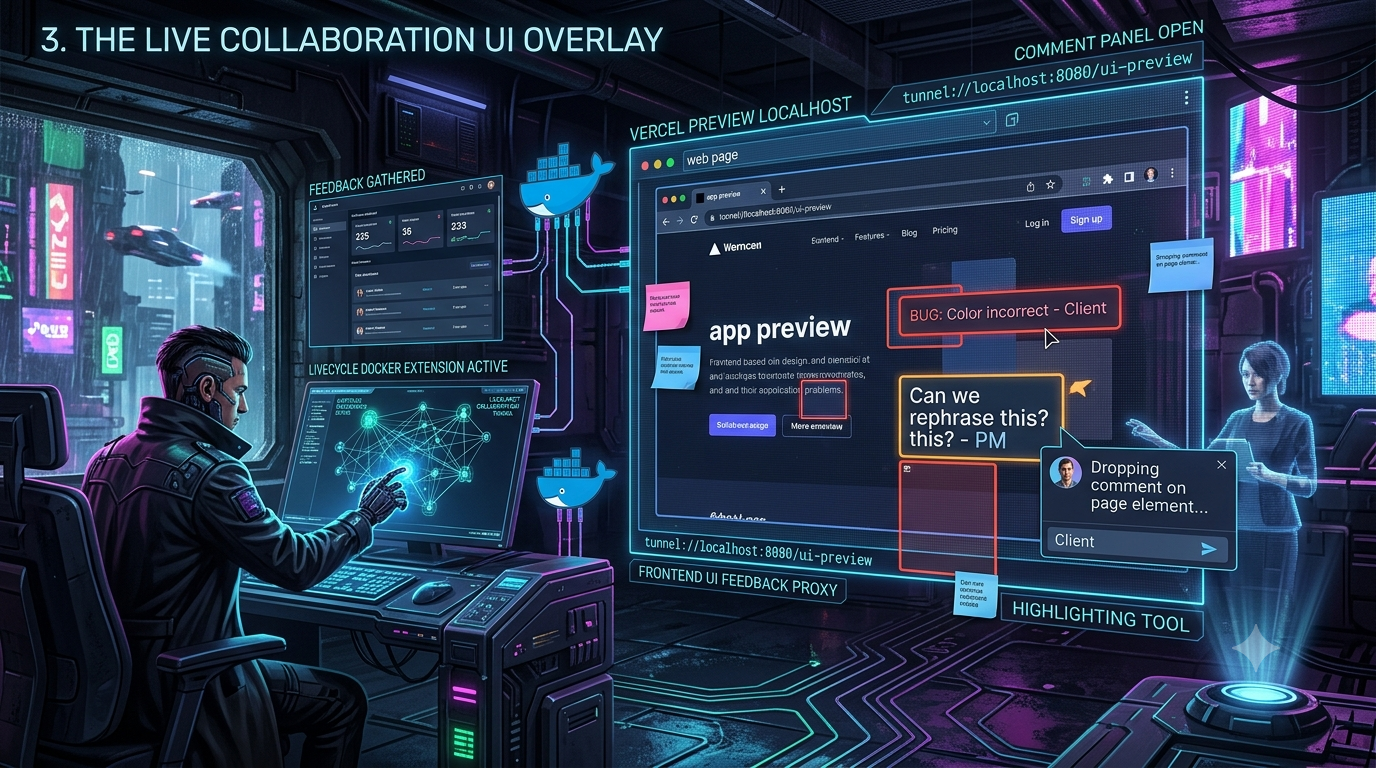
Instead of just sending a raw URL to a client or product manager, some frontend teams have experimented with tunnels that inject collaboration tools directly into the page — overlaying a dashboard that lets clients drop comments, highlight UI bugs, and gather feedback right on a localhost preview URL. One of the clearest examples of this pattern was the Livecycle Docker Extension, built on Livecycle’s open-source CLI, Preevy. It’s a useful case study in what a “frontend UI feedback proxy” can do — with an important caveat up front: at the time of writing, the tool itself shows clear signs of being unmaintained, so treat this as a look at the pattern rather than a current recommendation.
In this guide, we’ll walk through the rise of the frontend UI feedback proxy, look at what happened to Livecycle specifically, and cover a more current option: Vercel’s own push to bring contextual commenting onto localhost via the Vercel Toolbar.
1. The Broken Review Cycle: Why Raw Tunnels Are No Longer Enough
For years, developers have relied on tools like ngrok, Cloudflare Tunnel, and dozens of alternatives to share their local development environments with external stakeholders. The workflow is familiar: run your app on port 3000, start a tunnel, copy the generated URL, and paste it into a Slack channel or a Jira ticket.
That solves the immediate networking problem — getting local code onto the public internet — but it doesn’t solve the collaboration problem. When a product manager or client opens that raw URL, they get a static view of the application. If they spot a visual bug, a misaligned button, or a typo, their only recourse is to:
- Take a screenshot of the browser window.
- Open a separate application (Slack, Jira, Figma, or email).
- Try to describe the issue out of context (“the blue button on the second row of the pricing table looks weird on mobile”).
- Wait for the developer to decipher the message, reproduce the state, and attempt a fix.
That context switching creates friction: multiple iterations, delayed feedback loops, and lost productivity as developers try to interpret vague, disconnected bug reports.
A raw tunnel is blind — it routes packets but understands nothing about the application’s UI. For genuine in-context collaboration, the networking layer has to become aware of the frontend.
2. The Frontend UI Feedback Proxy Pattern
The general solution is a feedback proxy: rather than acting as a dumb pipe that forwards HTTP requests, it intercepts the HTML payload on its way from your local server to the remote client and injects a lightweight JavaScript snippet or iframe into the page’s <body>. The app looks and behaves exactly as it should, with one addition: a floating collaboration overlay.
Tools that implement this pattern (Livecycle among them, and Vercel’s toolbar in a related but distinct way — more below) typically aim for some mix of:
- Contextual pinning — reviewers click anywhere on the live DOM to drop a pin and leave a comment tied to a specific element, not just a page.
- Environment capture — automatically logging browser, screen resolution, OS, and sometimes console output alongside a comment.
- Screen recording — letting reviewers record a walkthrough to demonstrate a state-based bug or animation glitch.
- Sync back to the dev’s tools — comments made on the remote URL showing up in the IDE, a dashboard, or a ticket automatically.
3. Spotlight: Livecycle and Preevy — a Cautionary Case Study
The Livecycle Docker Extension was designed to integrate with Docker Desktop and let developers instantly share local containers, skipping staging environments or CI builds entirely. Under the hood it wrapped Livecycle’s open-source Preevy CLI, which provisions ephemeral preview environments from Docker Compose apps and exposes them with tunneled, DNS/certificate-free HTTPS URLs.
Here’s the important update: the Docker Hub listing for the extension image is currently marked “Archived,” with the image last updated roughly two years ago and a note that it requires Docker Desktop 4.37.1 or later — itself now several versions behind current Docker Desktop releases. Business-intelligence sources (e.g., startupim.com’s company record) list Livecycle Technologies Ltd. as non-active, with the company having reportedly ceased operating around September 2025, after raising a $5M seed round since its 2021 founding in Tel Aviv. Treat that specific closure claim with normal caution since it comes from a single secondary source, but it lines up with what’s independently visible: GitHub activity on the livecycle/preevy repo has slowed to little more than automated dependency-bump PRs since mid-2024.
That said, Preevy itself hasn’t disappeared. Its packages are still published to npm (@preevy/core, @preevy/cli-common, @preevy/compose-tunnel-agent, and others) under an Apache-2.0 license, sitting around the 0.0.63–0.0.64 version range with modest weekly download counts. So the underlying open-source tunneling/preview-environment engine is technically usable today — you just shouldn’t count on the polished Docker Desktop Extension experience or active vendor support around it.
What the extension was designed to do, for context on the pattern (rather than as a live recommendation):
- In-progress UI reviews — generate a shareable URL so non-technical stakeholders could leave visual feedback in context while code was still fresh on the developer’s machine.
- Deep technical debugging — a dashboard for remote log inspection, terminal access, and container state inspection, letting a senior engineer jump into a junior’s local environment without pulling the branch.
- Secure, authenticated tunnels — HTTPS/SSH tunnels with a choice of public access or private access gated behind GitHub/Google login.
- Deploy to Cloud — a stated “closed laptop” fix, letting a local shared environment be redeployed to a cloud provider (AWS, GCP, Azure, or Kubernetes) so review could continue after the developer’s machine went offline.
If you’re evaluating this space today, the more durable takeaway is the pattern — CLI-driven ephemeral environments plus an injected feedback overlay — rather than this specific extension, given its apparent maintenance state.
4. Vercel and the “Preview on Localhost” Story
The standard this pattern has always been compared against is Vercel Preview Deployments — a unique URL for every Git branch and pull request, with a comment overlay for reviewers.
The traditional bottleneck: a commit, a push, and a build. You write code locally, push it, Vercel builds and deploys, you send the URL, the team comments, and you go back to your editor to make changes. Build time for that cycle varies a lot by project — a small app with warm caches might redeploy in well under a minute, while a larger app or a cold build can take several minutes — but it’s a delay tunneling proponents have long pointed to as the case for reviewing directly against localhost instead.
This is where things have moved since the original framing of “tunnel vs. Vercel preview”: Vercel has closed part of that gap itself. The Vercel Toolbar — Comments, Feature Flags, Draft Mode, Edit Mode, plus layout-shift and accessibility auditing tools — is no longer preview-only. Vercel’s docs now describe adding the toolbar to local and production environments, not just preview deployments. In practice that means installing the @vercel/toolbar package, running vercel link to connect your local project, and (depending on framework) wiring in a small plugin or script tag so the toolbar loads in development. Once set up, Comments and the rest work the same way locally as they do on a deployed preview — no tunnel or build step required for the commenting layer itself.
One detail worth knowing if you set this up: the toolbar ships “sleeping” by default on any given page load. It won’t render comment threads or run background tools until it’s explicitly activated (by clicking it, or via a keyboard shortcut), unless the page was opened through a link that specifically needs it active (like a direct link to a comment thread).
So the localhost-tunnel-plus-overlay pattern and Vercel’s own tooling have converged somewhat: if your project already deploys through Vercel, the toolbar now gets you a comparable in-context commenting experience on localhost without standing up a separate tunnel. A tunnel-based feedback proxy is still the better fit if you’re not on Vercel, need to share with people who can’t reach your local network any other way, or want the deeper “remote terminal into my container” style debugging that Livecycle’s dashboard aimed at.
5. Setting Up a Local Preview Environment with Preevy
Given the Docker Extension’s uncertain status, the more reliable path today is going straight to the Preevy CLI rather than through Docker Desktop’s extension marketplace.
Step 1: Install Preevy
Preevy is distributed as an npm package. Install it per the current instructions on its GitHub repo and documentation site, since exact install commands can change between versions — don’t assume a global install command from an older tutorial still matches the latest release.
Step 2: Authenticate and set up a profile
Preevy environments are managed through a “profile” that stores your configuration; the docs walk through creating one and connecting it to a cloud provider (AWS Lightsail, Google Cloud, Azure, or an existing Kubernetes cluster) or running locally.
Step 3: Run your Docker Compose app as usual
Preevy works against your existing docker-compose.yml — no changes to your application code or dependencies are required.
Step 4: Bring the environment up
The core workflow is a single up command that provisions the environment, builds and deploys your services, and exposes each one with a public HTTPS URL — no manual DNS or certificate setup. A matching down command tears it back down.
Step 5: Share and collaborate
Send the generated URL to your team. Depending on how you’ve configured access, they may need to authenticate before viewing it.
If you specifically want the Docker Desktop point-and-click experience rather than the CLI, check the extension’s current listing on Docker Hub first — given its archived status, confirm it still installs and functions on your version of Docker Desktop before building a workflow around it.
6. Best Practices for This Kind of Workflow
1. Adopt synchronous review sessions. Because localhost tunnels depend on the developer’s machine staying awake, they’re best used for scheduled, in-flight reviews — a 15-minute block where a reviewer clicks through the app while you fix minor issues live, relying on hot-module reloading to push updates instantly.
2. Use ephemeral cloud deployments for async review. If a reviewer is in a different time zone, a “deploy to cloud” style feature (where available and actively maintained) beats leaving your laptop open overnight.
3. Integrate with your ticketing system. A pinned UI comment is most useful when it can become a Jira, Linear, or GitHub Issues ticket automatically, carrying the screenshot, DOM element data, and browser metadata with it.
4. Never expose real production data. Use seeded, dummy data in local containers you’re tunneling out — even behind authenticated, private tunnels. If a container is compromised, or a teammate with remote terminal access runs something destructive, your production infrastructure should stay completely isolated.
5. Check whether the tool is still alive before you build a workflow around it. This one’s new, and it’s the actual lesson from Livecycle: an archived Docker Hub image, a GitHub repo whose only recent activity is automated dependency bumps, and third-party business records marking a company inactive are all things worth checking before you wire a team’s review process around a specific vendor’s extension — not after it quietly stops getting updates.
Conclusion
The idea of turning a developer’s machine into an interactive staging ground — bugs caught before a push, design discrepancies resolved synchronously, senior engineers dropping into a junior’s local environment to help debug — is still a good one. Livecycle’s Docker Extension was a genuine, if apparently short-lived, implementation of it, and its underlying Preevy CLI remains open-source and installable even if the polished extension around it isn’t reliably maintained. Meanwhile, the gap this whole category was built to close — waiting on a CI build just to get contextual comments — has narrowed from an unexpected direction: Vercel now offers a version of its own Comments/Feature Flags/Draft Mode/Edit Mode toolbar directly on localhost, no tunnel required, for projects already on its platform.
Fact-check changelog — September 24, 2026
- Livecycle Docker Extension status (new): confirmed via Docker Hub that the extension image is marked Archived, last updated ~2 years ago, requiring Docker Desktop 4.37.1+. The original draft presented it as an actively available tool with no caveat.
- Preevy CLI status (corrected/nuanced): confirmed Preevy’s npm packages (
@preevy/core,@preevy/cli-common,@preevy/compose-tunnel-agent, etc.) are still published under Apache-2.0, currently around v0.0.63–0.0.64, but GitHub activity on the repo has been limited to automated dependency-bump PRs since mid-2024 — softened from a blanket “actively maintained” claim to reflect that mixed signal. - Livecycle company status (new): added a sourced, appropriately hedged note that a business-intelligence record (startupim.com) lists Livecycle Technologies Ltd. as non-active since around September 2025, as corroborating context for the extension’s archived state. Flagged as a single secondary source rather than confirmed fact.
- Vercel build-delay claim (softened): the original draft’s specific “3-to-10 minute” CI build delay figure was unverified/fabricated; replaced with a general, honestly-hedged range (well under a minute to several minutes, depending on project and cache state).
- Vercel Toolbar localhost support (new — significant addition): the original draft didn’t mention that Vercel’s own Comments/Feature Flags/Draft Mode/Edit Mode toolbar now explicitly supports local development environments (via the
@vercel/toolbarpackage +vercel link), not just preview deployments — narrowing the tunnel-vs.-Vercel-preview gap the article’s original framing relied on. Also added the toolbar’s default “sleeping until activated” behavior. - Setup guide (restructured): replaced the Docker-Extension-first walkthrough with a Preevy-CLI-first path, since the extension’s install/functionality can no longer be assumed reliable; added an explicit instruction to verify the extension’s current status before depending on it.
- New best practice added: “check whether the tool is still alive before you build a workflow around it,” drawn directly from what happened with Livecycle.
- Removed all frontmatter/metadata from the delivered file per your usual format.
Open item for a future pass: if you want to extend this piece, current agent-native feedback-tooling projects (e.g., margo, agnt) could be a natural “what comes next” section, and would tie into your existing AI-bridge-proxy coverage — worth a dedicated look rather than a rushed add-on here.
Related InstaTunnel pages
Continue from this article into the most relevant product guides and workflows.


Comments
Post a Comment