“Blocked request. This host is not allowed”: The Host-Header Allowlist Cheat Sheet for Vite, Rails, Django, Angular and Next.js
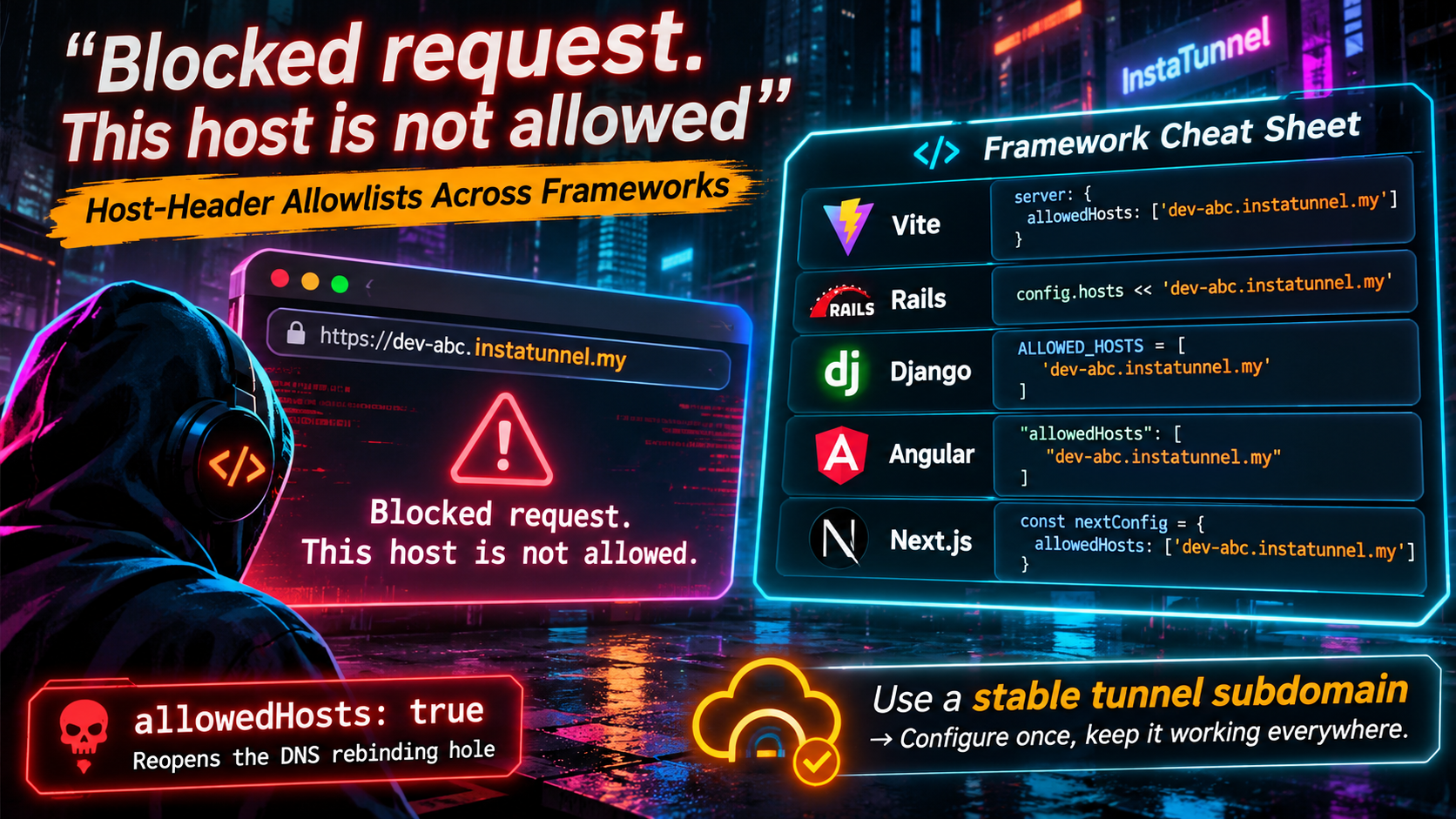
You start a tunnel, paste the public URL into a browser, and instead of your app you get a flat error. In a Vite project it reads Blocked request. This host ("your-name.tunnel.example.com") is not allowed. In Rails you get a 403 Forbidden response. In Django it is a 400 Bad Request. In Angular’s dev server it is the Vite message again. In Next.js your page may load, but dev-only requests under /_next/* get blocked.
None of this is a tunnel bug. Your dev server received a request for a hostname it has never heard of, and it refused to answer. This guide is a per-framework cheat sheet: the exact setting, what it accepts, what the default is, and how to configure it safely. It also explains why a stable tunnel subdomain turns this from a recurring annoyance into a one-time config line.
Why dev servers check the Host header at all
Every HTTP request carries a Host header naming the site the browser thinks it is talking to. Historically, many dev servers ignored it. That became a problem because of DNS rebinding. A hostile web page loads from an attacker-controlled domain, the attacker’s DNS then starts answering with 127.0.0.1, and the browser now treats your local server as part of the attacker’s origin. The attacker’s page can read whatever your dev server returns, including source code.
Checking the Host header against an allowlist closes that door, because the attacker’s domain is not on the list. Rails describes its middleware as a guard against DNS rebinding. Vite’s documentation says that leaving its check wide open lets any website download your source code and content through DNS rebinding.
The cost is that a legitimate tunnel hostname is also “unknown” until you list it.
One Vite-specific detail matters for tunnels. Vite’s host check is skipped when the dev server itself serves HTTPS. Many tunnels terminate TLS at their edge and forward plain HTTP to your machine, and in that setup the check still applies.
Quick diagnosis: which layer is rejecting you?
| Framework | Setting | What you see |
|---|---|---|
| Vite | server.allowedHosts |
403 with Blocked request. This host (...) is not allowed. |
| Rails | config.hosts |
403 Forbidden; a debug page in development, an empty body otherwise; a Blocked hosts: line in the log |
| Django | ALLOWED_HOSTS |
DisallowedHost (a SuspiciousOperation), returned as 400 Bad Request |
| Angular (dev server) | allowedHosts in angular.json |
The same Vite message |
| Next.js | allowedDevOrigins |
Page may render, but dev resources such as /_next/webpack-hmr are blocked, with a Blocked cross-origin request to Next.js dev resource warning in the terminal |
A useful rule: if the error text names the host and tells you what to add, the request reached your framework and the tunnel is working. You are fixing configuration, not networking.
Wildcard semantics at a glance
The frameworks disagree about what a “wildcard” means, and that is where most surprises come from.
| Framework | Syntax | Matches the bare domain? | Matches nested subdomains? |
|---|---|---|---|
| Vite | .example.com |
Yes | Yes (any depth, per the docs) |
| Rails | .example.com |
Yes | One label in current source; older releases were looser |
| Django | .example.com |
Yes | Yes (“any other subdomain”) |
| Next.js | *.example.com |
No | No (exactly one label) |
| Next.js | **.example.com |
No | Yes (one or more labels) |
| Angular dev server | same as Vite | Yes | Yes |
Whichever you use, test a real tunnel hostname before assuming a pattern works.
Vite: server.allowedHosts
Vite documents server.allowedHosts as string[] | true, defaulting to []. Out of the box it accepts localhost, any domain under .localhost, and all IP addresses. Everything else gets a 403.
The check arrived with the fix for advisory GHSA-vg6x-rcgg-rjx6 (CVE-2025-24010). The 6.0.9 changelog lists a Host-header check that introduced server.allowedHosts. The advisory’s fixed versions are 6.0.9, 5.4.12 and 4.5.6. That is why upgrades often trigger the error on setups that worked for months.
// vite.config.js
import { defineConfig } from 'vite'

export default defineConfig({
  server: {
    allowedHosts: ['my-app.tunnel.example.com'],
  },
})
A few details worth knowing:
- Leading dot. A string starting with
.allows that hostname without the dot plus all its subdomains. Per the docs,.example.comcoversexample.com,foo.example.comandfoo.bar.example.com. Only do this for a domain you own. - Never add a top-level domain such as
.com. The docs warn that anyone can register a domain and control where it resolves. - Environment variable. Setting
__VITE_ADDITIONAL_SERVER_ALLOWED_HOSTSadds hosts without touching the config file. Separate several hosts with commas. This is handy in CI, or in a shared repo where you do not want a personal tunnel name committed. vite previewis separate. The preview server has its ownpreview.allowedHosts. It defaults to the value ofserver.allowedHosts, so set it explicitly only if the two should differ. Read the error text to see which block it points at.- Related setting:
server.cors. The same advisory changed Vite’s CORS handling. The default now allows only localhost-style origins, and the docs warn thatserver.cors: truelets any website download your source. - Frameworks built on Vite. Nuxt takes the option under
vite.server.allowedHostsinnuxt.config.ts. Strapi 5’s admin panel runs on Vite too. Strapi’s own write-up says its development config now setsallowedHosts: trueinternally, so on a current release upgrading Strapi may be the whole fix. If you see “edit vite.config.js” but have no such file, look for avitekey in your framework’s config.
If the page loads but hot reload is broken. Allowing the host fixes the initial load, but hot module replacement uses a WebSocket. Tunnels that rewrite ports can break it, and Strapi’s guide flags this for ngrok, Cloudflare Tunnel and VS Code port forwards. Vite’s docs list the WebSocket settings under server.ws, including clientPort, which overrides the port the browser connects to. In current docs the older server.hmr WebSocket options are marked deprecated in favor of server.ws. On older Vite versions you will still find them under server.hmr.
The shortcut you will find on forums is allowedHosts: true. We will come back to why it is a bad default.
Rails: config.hosts
Rails calls this Host Authorization, implemented by ActionDispatch::HostAuthorization. In development the default allowlist is .localhost, .test, and every IPv4 and IPv6 address. In other environments config.hosts is empty by default. When it is empty the middleware does nothing, so the check only bites in development or once you have configured hosts yourself.
# config/environments/development.rb
config.hosts << "my-app.tunnel.example.com"
What the source tells you:
- Strings match the host with an optional port. A string starting with a dot (such as
.example.com) matches the apex domain plus a subdomain. In current source that is one optional label ([a-z0-9-]+\.), so test nested names likea.b.example.combefore assuming they pass. Older releases used a looser pattern, so behavior can differ between Rails versions. - Regexes, IP ranges and lambdas are accepted. Entries are compared with
===, so a lambda gives you dynamic checks. Strings and regexes get the port and leading-dot handling, and a lambda does not. X-Forwarded-Hostis checked too. The middleware blocks a request if eitherHostor the lastX-Forwarded-Hostvalue is not permitted, which matters when a proxy sits in front.- Opting out per route.
config.host_authorization = { exclude: ->(request) { request.path =~ /healthcheck/ } }skips the check for matching requests, such as load-balancer health probes. - The response is
403 Forbidden, and the blocked hosts are logged aterrorlevel. The body contains debug info only ifconfig.consider_all_requests_localis true. Otherwise it is empty, which can make production blocks look like a mystery. - Keep Rails patched. Leading-dot entries combined with crafted
X-Forwarded-Hostheaders were the subject of past advisories, including CVE-2021-22881.
Because an empty config.hosts disables the check, config.hosts.clear is the Rails equivalent of Vite’s true. Treat it the same way.
Django: ALLOWED_HOSTS
Django introduced ALLOWED_HOSTS in 1.4.4 (February 19, 2013) as a security fix for Host header poisoning. In 1.4.4 the default was ['*'] for backwards compatibility. Today the default is an empty list.
With DEBUG = False, an empty list makes every request fail with Bad Request (400). With DEBUG = True and an empty list, current docs say the host is validated against ['.localhost', '127.0.0.1', '[::1]'], so a tunnel hostname fails even in debug mode.
That debug behavior has its own history. Older versions skipped the check under DEBUG=True, which allowed DNS rebinding attacks (CVE-2016-9014). Django fixed it in 1.10.3, 1.9.11 and 1.8.16.
# settings.py
ALLOWED_HOSTS = ["my-app.tunnel.example.com"]
- Exact matching. Names are compared to the
Hostheader case-insensitively and without the port. A trailing dot (FQDN form) is stripped before comparison. - Leading period as wildcard.
.example.commatchesexample.com,www.example.comand any other subdomain. The docs describe only two wildcard forms, the leading period and a bare*(match everything). They do not document*.example.com. USE_X_FORWARDED_HOST. If enabled, Django validatesX-Forwarded-Hostinstead ofHost.- Bypass warning. Validation happens in
get_host(). Code that reads the header fromrequest.METAdirectly skips it.
One adjacent gotcha: once the page loads through the tunnel, form posts can still fail Django’s CSRF origin check. The browser’s Origin is the tunnel’s https:// URL, and Django must agree. Add the full origin, scheme included, to CSRF_TRUSTED_ORIGINS. That setting supports subdomain wildcards like https://*.example.com. If your tunnel forwards plain HTTP, also check whether SECURE_PROXY_SSL_HEADER is appropriate. Set it only when the proxy reliably controls the X-Forwarded-Proto header.
Angular: allowedHosts in angular.json
Angular’s modern dev server runs on Vite, so you get Vite’s error, but there is no vite.config.js to edit. The Angular CLI added a dev-server allowedHosts option (pull request #29466, January 2025) after moving to Vite 6.0.9 or later. The CLI docs describe it as the hosts the dev server will respond to, and say it sets the Vite option of the same name.
"serve": {
  "builder": "@angular/build:dev-server",
  "options": {
    "allowedHosts": ["my-app.tunnel.example.com"]
  }
}
The webpack-based builder (@angular-devkit/build-angular:dev-server) takes the same option in the same place. The CLI’s own tests confirm three behaviors: a listed host passes, true allows any host, and an empty array rejects unknown hosts. The CLI also exposes the setting as --allowed-hosts.
Angular has a second, unrelated host check, and it is easy to confuse with the first. Server-side rendering validates the request hostname as an SSRF defense, and its messages do not use the Vite wording:
Host http://localhost:4200/ is not allowed. You can configure allowedHosts option.Developers reported this onng servefor SSR projects after patch release 19.2.22 (issue #33184).URL with hostname "..." is not allowed. Please provide a list of allowed hosts in the "allowedHosts" option in the "CommonEngine" constructor.Developers reported this after@angular/ssr21.1.5. They saw it behind a load balancer, where the validator saw an internal IP address instead of the public name (issue #32616).
For SSR, allowedHosts can be set in the CommonEngine constructor, in build options in angular.json, or through the NG_ALLOWED_HOSTS environment variable. Reporters used the environment variable to resolve the localhost case. One reporter noted that the option accepts exact hostnames or a wildcard prefix such as *.domain, not arbitrary patterns. If your error text differs from the Vite sentence, you are in this second layer, and editing serve.options will not fix it.
The SSR allowlist has itself been patched. CVE-2026-50168 (GHSA-xrxm-cp7j-8xf6) is an allowlist bypass in @angular/platform-server, fixed in 22.0.0-rc.2, 21.2.15, 20.3.22 and 19.2.23. If you rely on SSR host validation, stay on a patched release.
Next.js: allowedDevOrigins
Next.js differs in an important way: it is not a Host header allowlist. It blocks cross-origin requests to dev-only assets and endpoints. It matches only the hostname of the request’s Origin header, falling back to the Referer hostname for no-cors requests such as script tags. Scheme, port and path are ignored, so write entries without https:// and without a port.
// next.config.js
module.exports = {
  allowedDevOrigins: ['my-app.tunnel.example.com'],
}
The dev server already allows localhost, its subdomains, and the hostname it was started with. Any other hostname needs an entry. The official docs use a tunnel as their example of a hostname that needs one.
Wildcards are stricter than you might expect:
| Entry | Matches | Does not match |
|---|---|---|
my.dev |
my.dev |
team.my.dev |
*.my.dev |
team.my.dev |
my.dev, team.eu.my.dev |
**.my.dev |
team.my.dev, team.eu.my.dev |
my.dev |
* stands for exactly one label and ** for one or more. ** works only at the start of a pattern, and partial replacement like team-*.my.dev is not supported. Because neither wildcard matches the bare domain, list the apex separately if you need it.
The option has a short history that explains why older posts disagree. It arrived with the security fix for CVE-2025-48068 in Next.js 15.2.2 and 14.2.30. The advisory describes the fix as an opt-in that requires you to configure allowedDevOrigins, and early versions only warned. A change merged in March 2026 (pull request #91507) removed the warn-only default and made blocking the default, and the current docs describe it that way. If you are on an older release, your version’s docs apply.
If your page renders through a tunnel but interactive behavior breaks, and the terminal shows a Blocked cross-origin request to Next.js dev resource warning, this is your setting. Keep Next.js patched too. CVE-2026-27977 let Origin: null bypass the websocket origin protection in next dev from 16.0.1 until the fix in 16.1.7, even when allowedDevOrigins was configured.
Why a stable subdomain means you configure it once
Allowlists are exact by design, so the real cost depends on how often your public hostname changes.
With a throwaway tunnel that hands out a random hostname on every start, you edit the allowlist every session. Each edit is also a config file change that can land in a commit, and every teammate has a different name. That fatigue is how allowedHosts: true ends up in repositories.
With a reserved, stable subdomain, the hostname is known before you ever start the tunnel. You add my-app.tunnel.example.com to the allowlist once, commit it, and every teammate, every CI run and every webhook provider points at the same name. The error you started this article with simply stops happening. The same stability helps everything else keyed to the hostname: OAuth redirect URIs, webhook endpoints, CSRF trusted origins and saved bookmarks.
If a hostname is personal rather than shared, keep it out of the repo and read it from an environment variable instead:
// vite.config.js
server: {
  allowedHosts: process.env.TUNNEL_HOST ? [process.env.TUNNEL_HOST] : [],
}
# config/environments/development.rb
config.hosts << ENV["TUNNEL_HOST"] if ENV["TUNNEL_HOST"]
The same pattern works in settings.py with os.environ and in next.config.js with process.env.
The allowedHosts: true trap
Disabling the check is one line in every framework above: Vite’s true, Rails’ config.hosts.clear, Django’s '*', or true in Angular’s dev-server option. It “fixes” the error instantly, which is why it spreads.
Vite’s documentation is blunt about it. Setting server.allowedHosts to true allows any website to send requests to your dev server through DNS rebinding attacks, letting them download your source code and content. It recommends always using an explicit list. You have turned off the one control that existed to stop that.
Two related mistakes are easy to make while trying to be careful:
- Allowing a shared suffix. Adding a tunnel provider’s shared domain, such as
.ngrok-free.app, to the list extends trust to a domain you do not control. Vite’s guidance is to add only hosts whose resolution you control, or whose owner you can trust. Prefer your own full hostname, or a domain you own. - Allowing everything “just for the demo.” Dev servers outlive demos. Keep the explicit hostname instead.
A copy-paste checklist
- Read the error. Does it name the host and the setting? Then fix configuration, not the tunnel.
- Copy the exact hostname from the public URL, without scheme or port.
- Add it in the right place:
server.allowedHosts,config.hosts,ALLOWED_HOSTS,allowedHostsinangular.json, orallowedDevOrigins. - Restart the dev server. Config-file settings like these are normally read at startup.
- If the page loads but hot reload or form posts fail, check HMR WebSocket settings (Vite),
CSRF_TRUSTED_ORIGINS(Django), or dev-resource warnings (Next.js). - Reserve a stable subdomain so this is the last time you edit it.
- Verify from outside your network, such as a phone on cellular data, not just from your own machine.
- Never commit
true,'*'or a shared provider suffix.
FAQ
Why does my app work on localhost but not through a tunnel?
On localhost the Host header is localhost, which every framework above allows by default. Through a tunnel it is the public hostname, which is not on any default list.
Is allowedHosts: true ever acceptable?
Only on a machine and network you fully control, for a short time, with nothing sensitive in the project. Even then, an explicit hostname costs one line and avoids the risk.
Do I need to allow the port as well?
No. Django matches hostnames without the port, Rails strings tolerate an optional port, and Next.js entries should be written without one.
The error mentions vite.config.js but my framework has none. What now?
Look for a pass-through key: vite.server.allowedHosts in Nuxt, the admin Vite config in Strapi (or upgrade Strapi), and allowedHosts in angular.json for Angular.
Does this affect production?
These are dev-server settings for Vite, Angular and Next.js. Rails and Django are different. Django’s ALLOWED_HOSTS applies in production, and Rails’ config.hosts applies in any environment where you configure it.
References
- Vite, Server Options and Preview Options
- Vite advisory GHSA-vg6x-rcgg-rjx6
- Rails API, ActionDispatch::HostAuthorization and pull request #33145
- Django, Settings: ALLOWED_HOSTS and CSRF_TRUSTED_ORIGINS, 1.4.4 release notes and 2016 security releases
- Angular CLI,
ng serveoptions, pull request #29466, issue #33184 and issue #32616 - Angular advisory GHSA-xrxm-cp7j-8xf6
- Next.js, allowedDevOrigins, advisory GHSA-3h52-269p-cp9r, pull request #91507 and CVE-2026-27977
- Strapi, Fixing “Blocked request. This host is not allowed” in Strapi 5
- Nuxt example, Fixing ‘Blocked request’ When Exposing a Nuxt 3 Dev Server Through ngrok
Originally published at https://instatunnel.my/blog/blocked-request-this-host-is-not-allowed-the-host-header-allowlist-cheat-sheet-for-vite-rails-django-angular-and-nextjs


Comments
Post a Comment